Linking your game to a Nexus account will allow you to save your progress in the Cloud and be sure that you will never lose it.
Playing as a guest means your progression will only be saved on your phone meaning that if you uninstall the application you will lose your whole progression. However, linking your already existing guest account to the Nexus is possible.
If you have linked your game to a Nexus account and delete the application, your progression will be secured.
Here's how to link your game to a Nexus account:
If you already have started a game as a Guest:
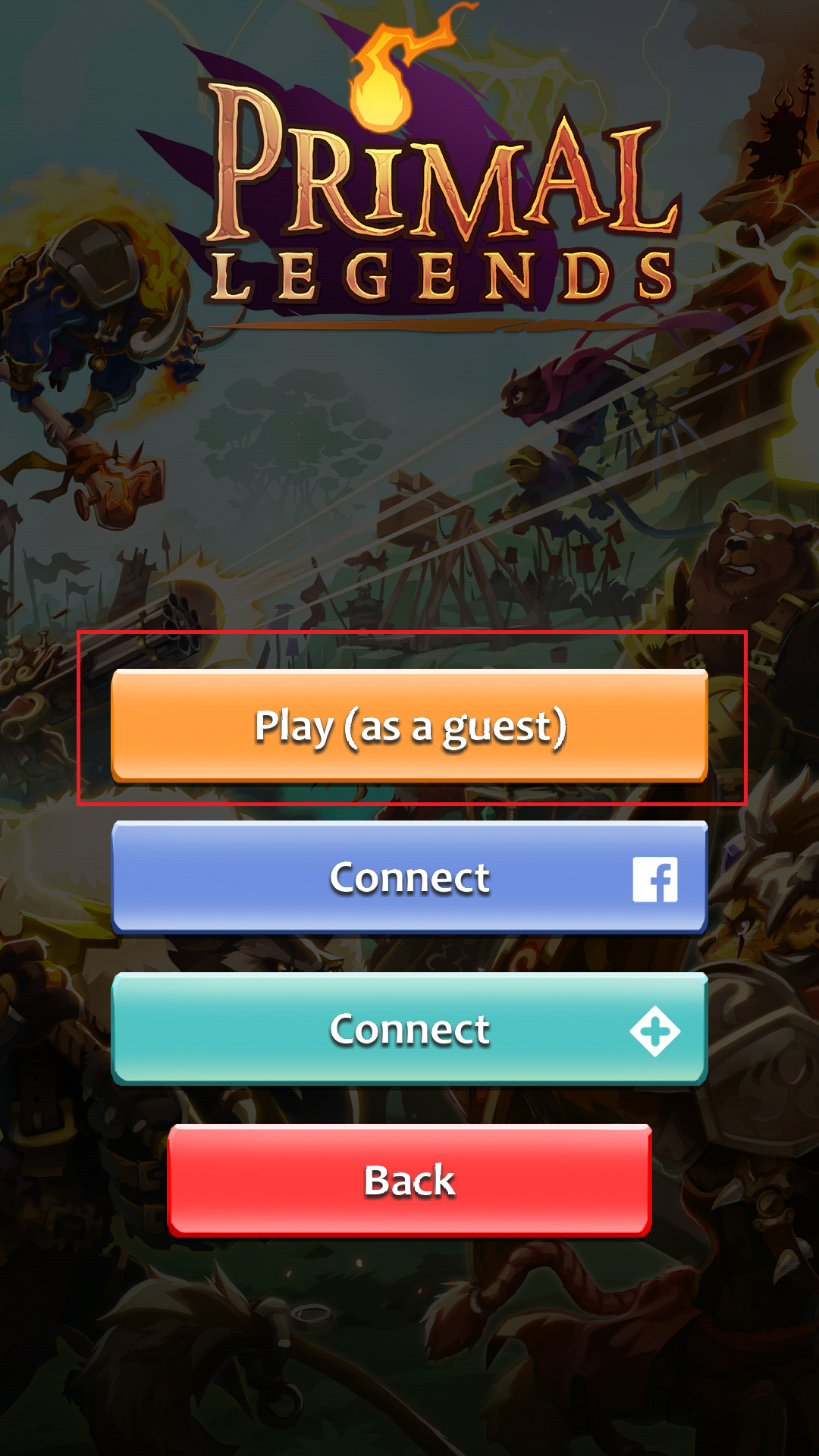
Step1: Join your guest game
Click "Play as guest" (you will join your already existing guest game.
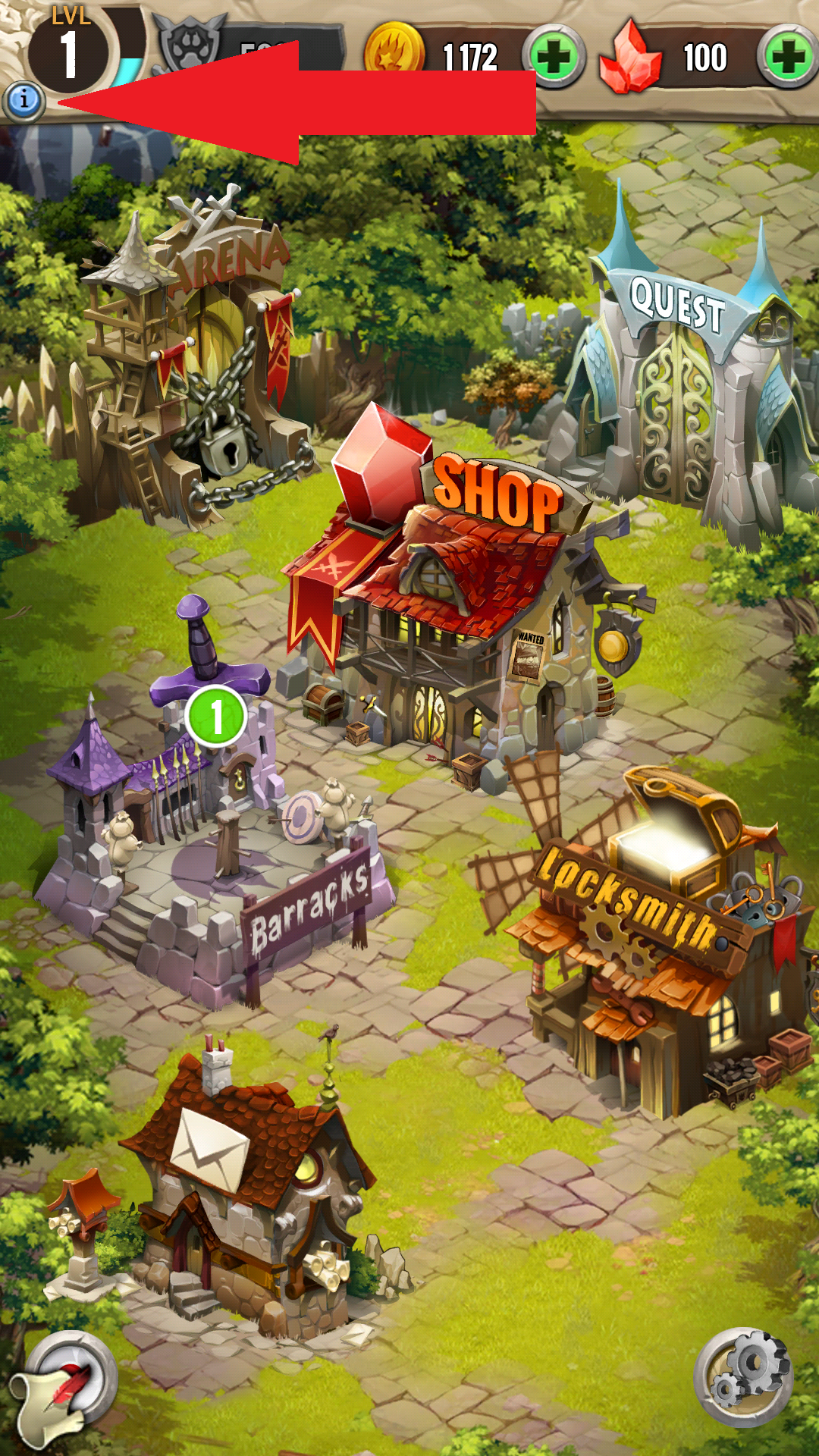
Step 2: Go to the menu and click the "info" button
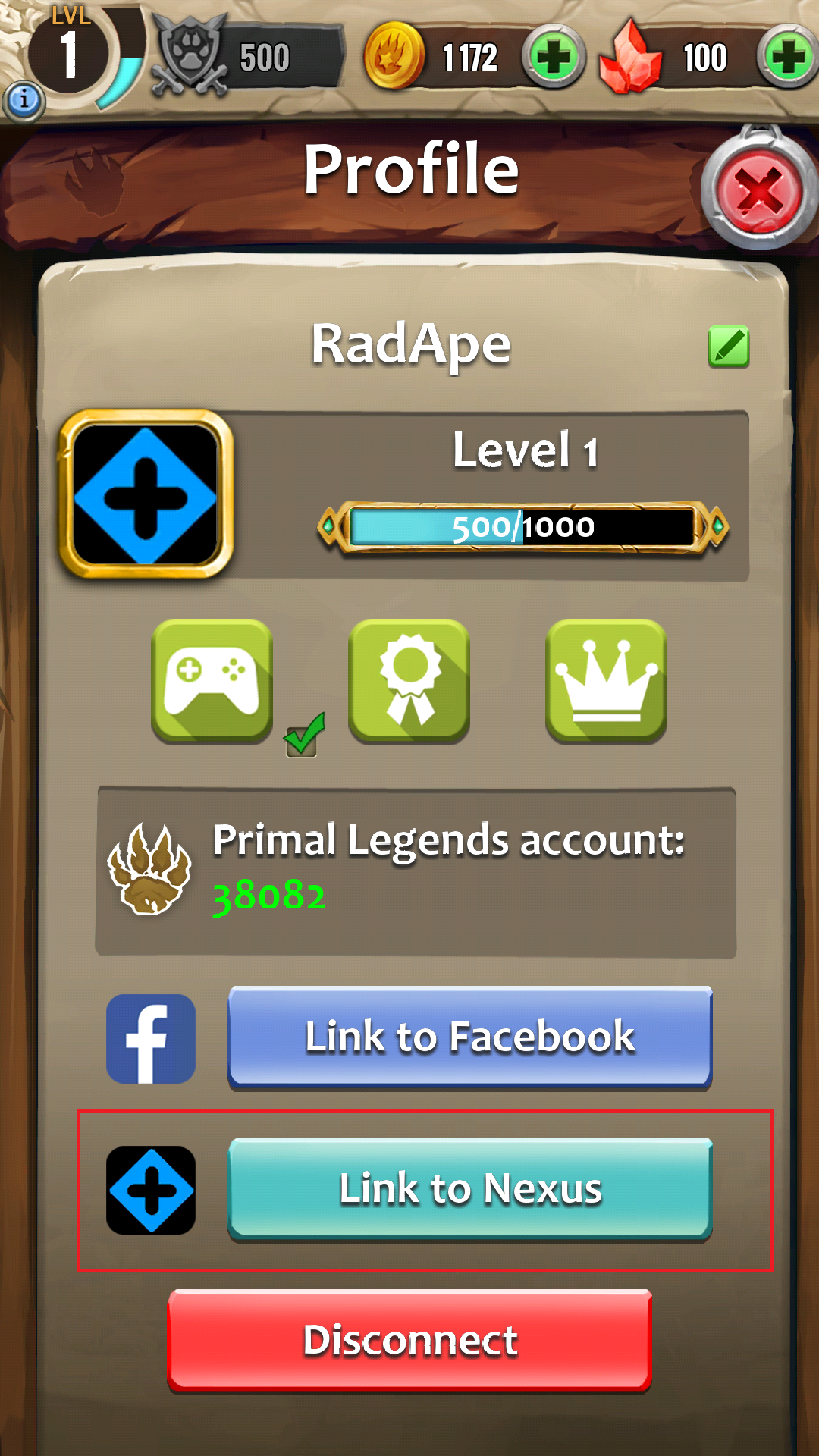
Step 3: Click "Link to Nexus"
Step 4: Click "Register"
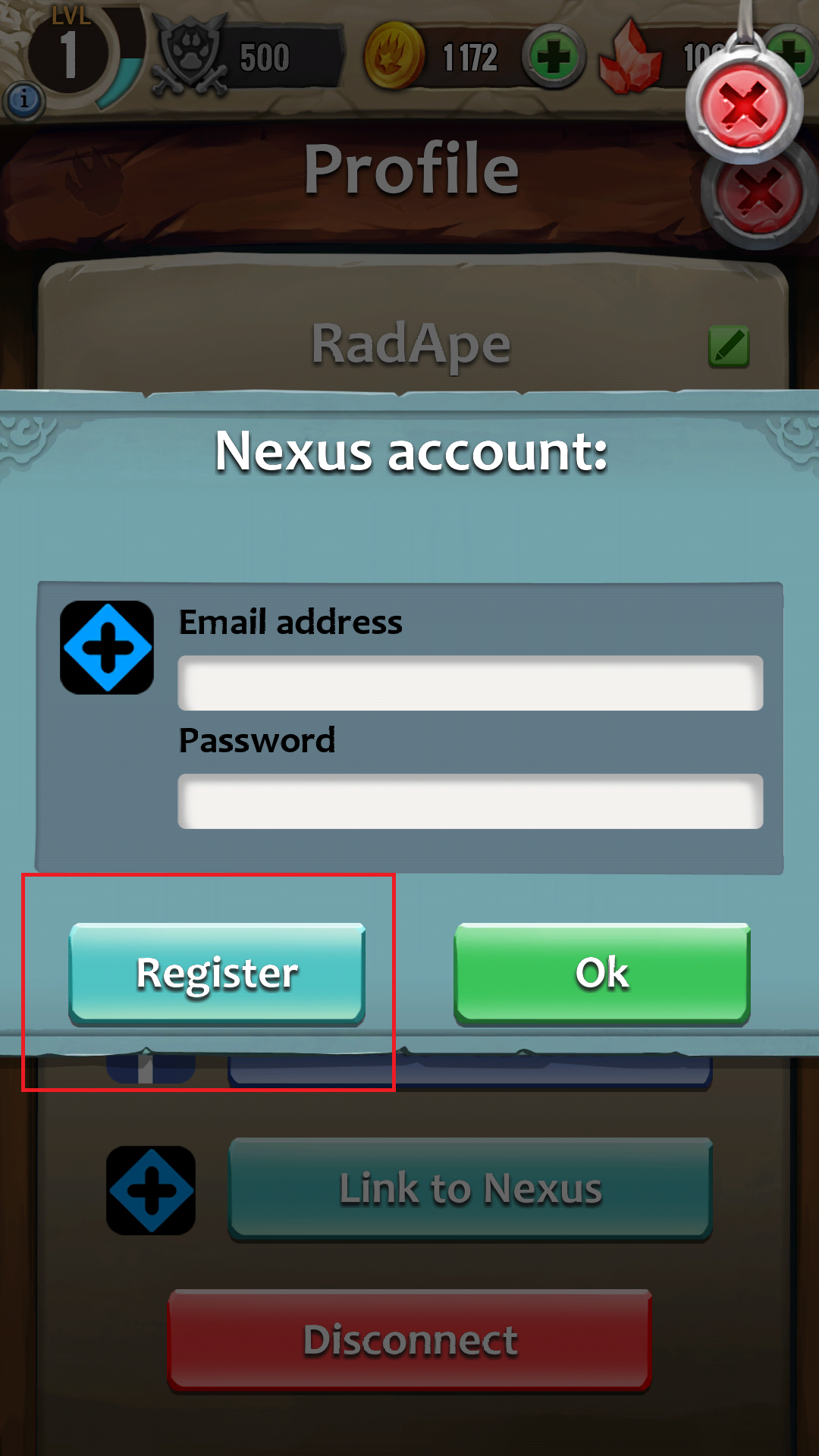
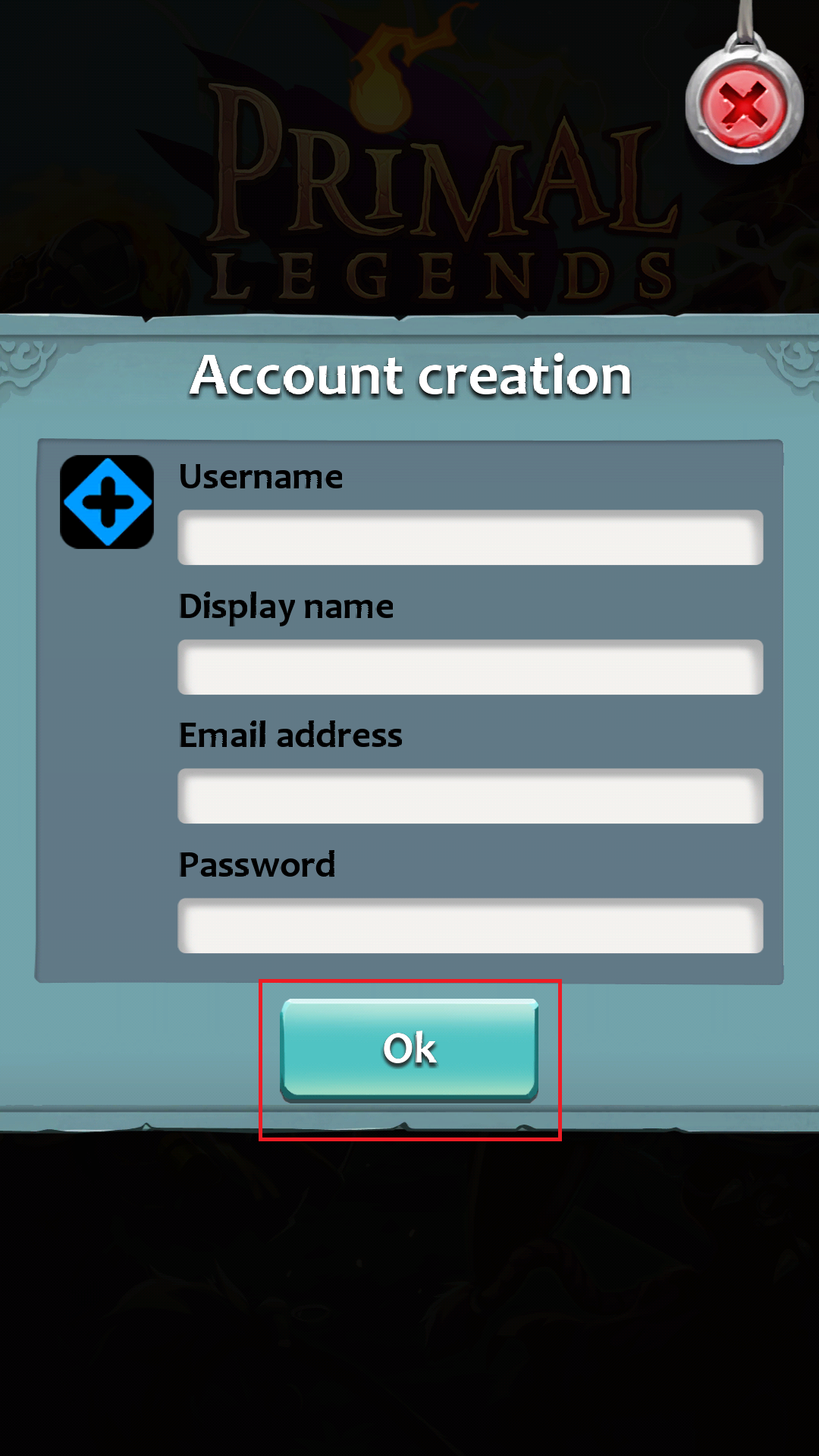
Step 5: Enter your information and click "Ok"
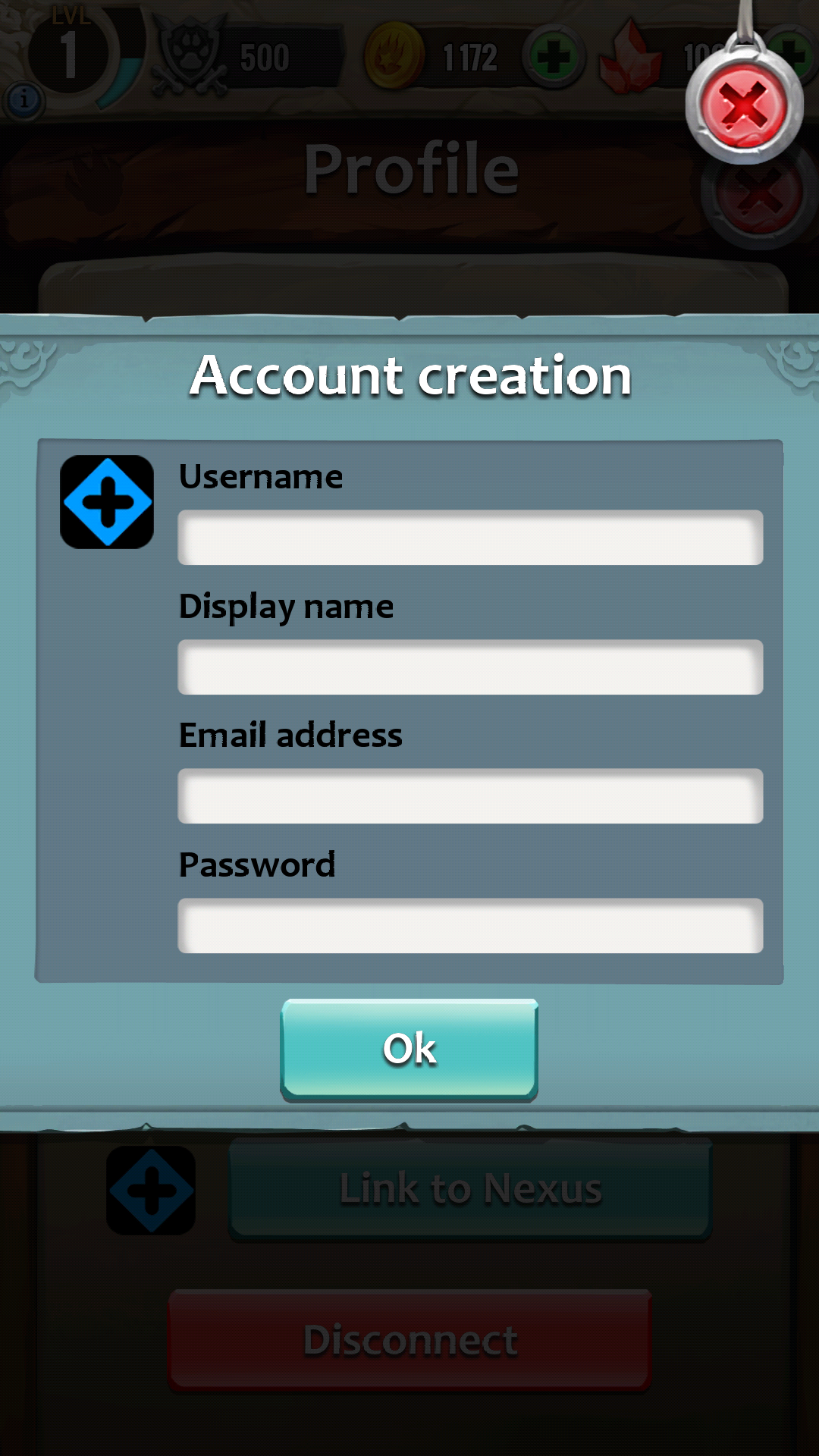
Done !
---------------------------------------------------------------------------------
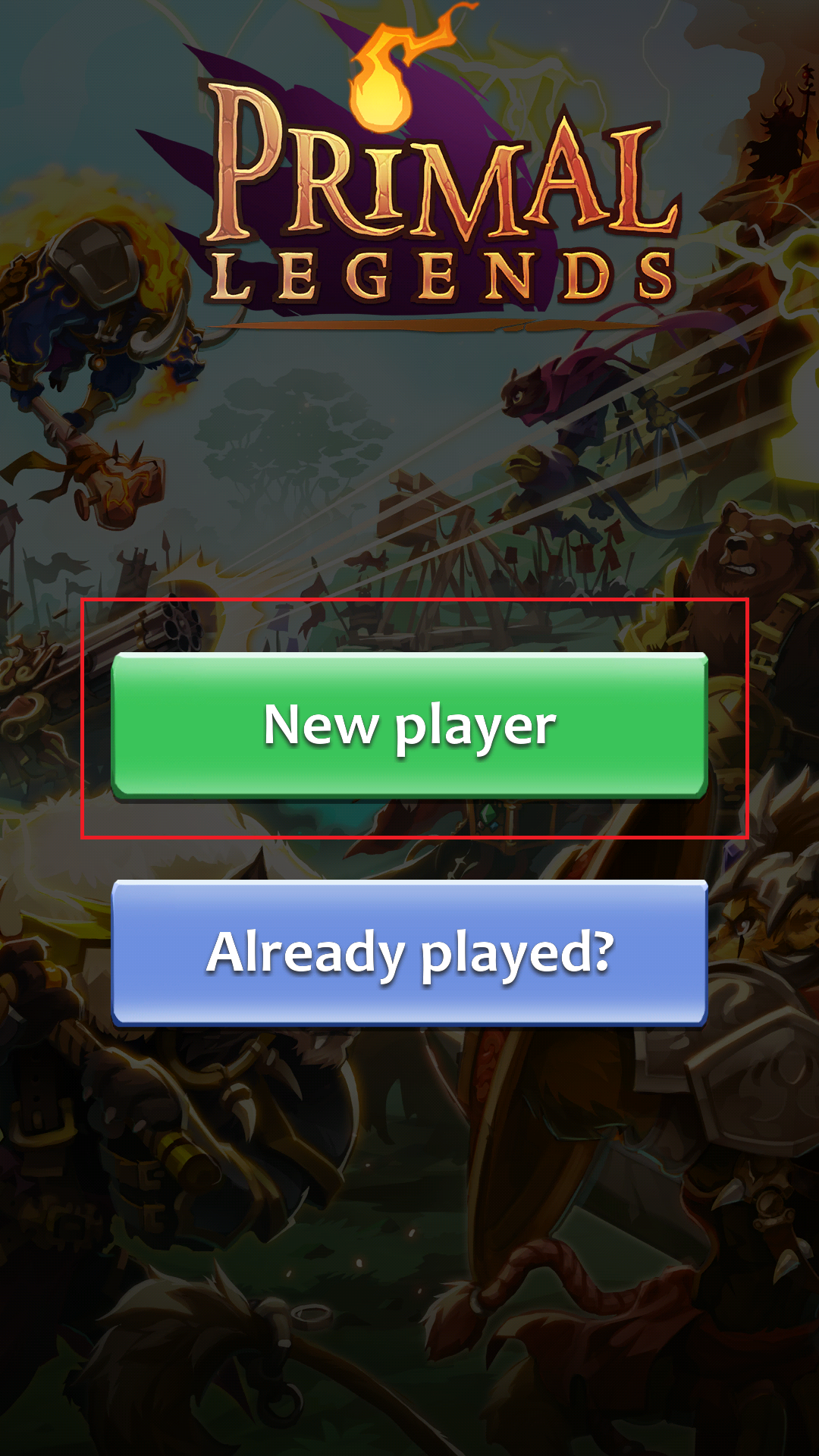
If you have never played Primal Legends before:
Step 1: Click "New Player"
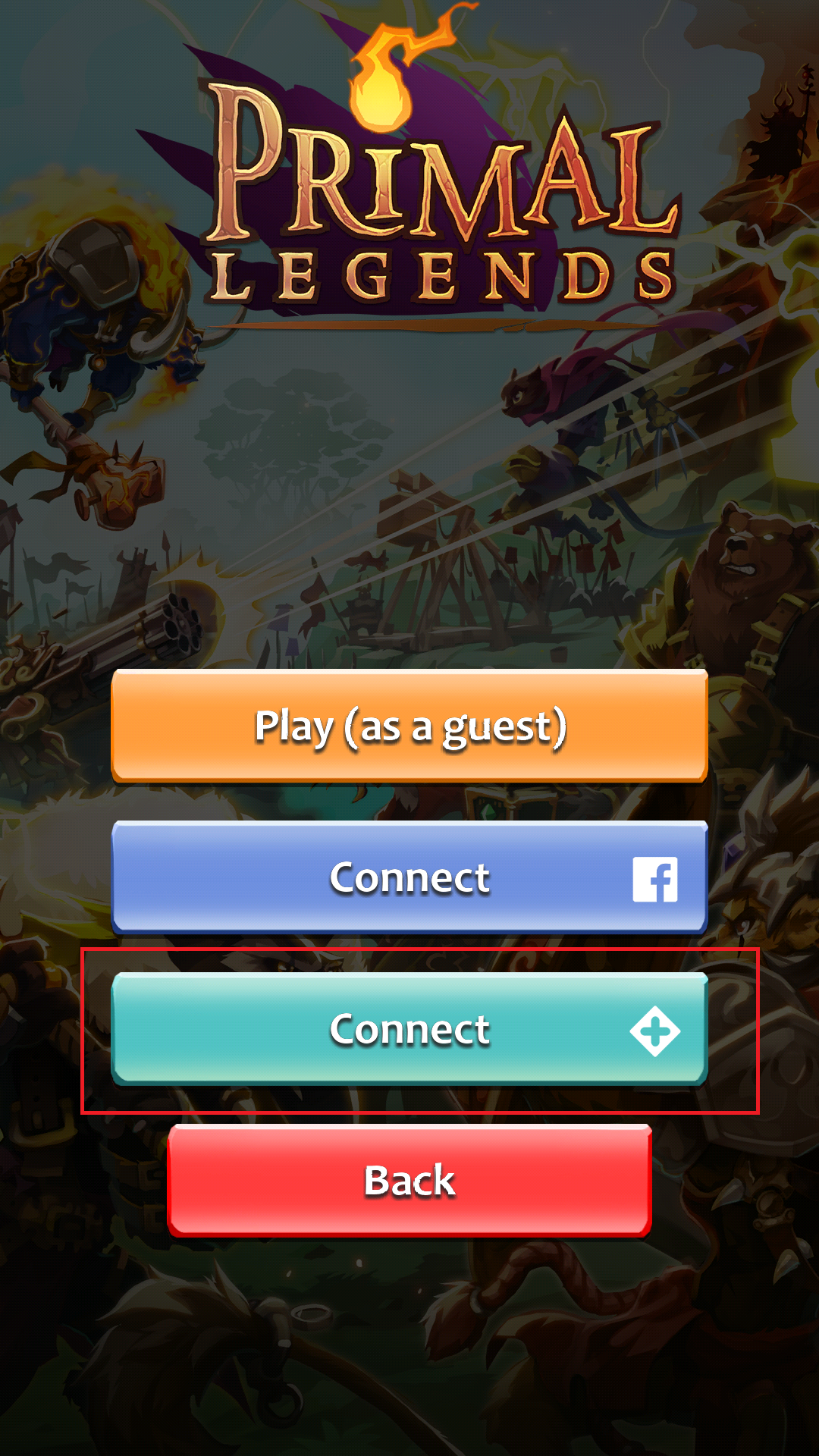
Step 2: Click the clear blue button "Connect"
Step 3: Click "Register"
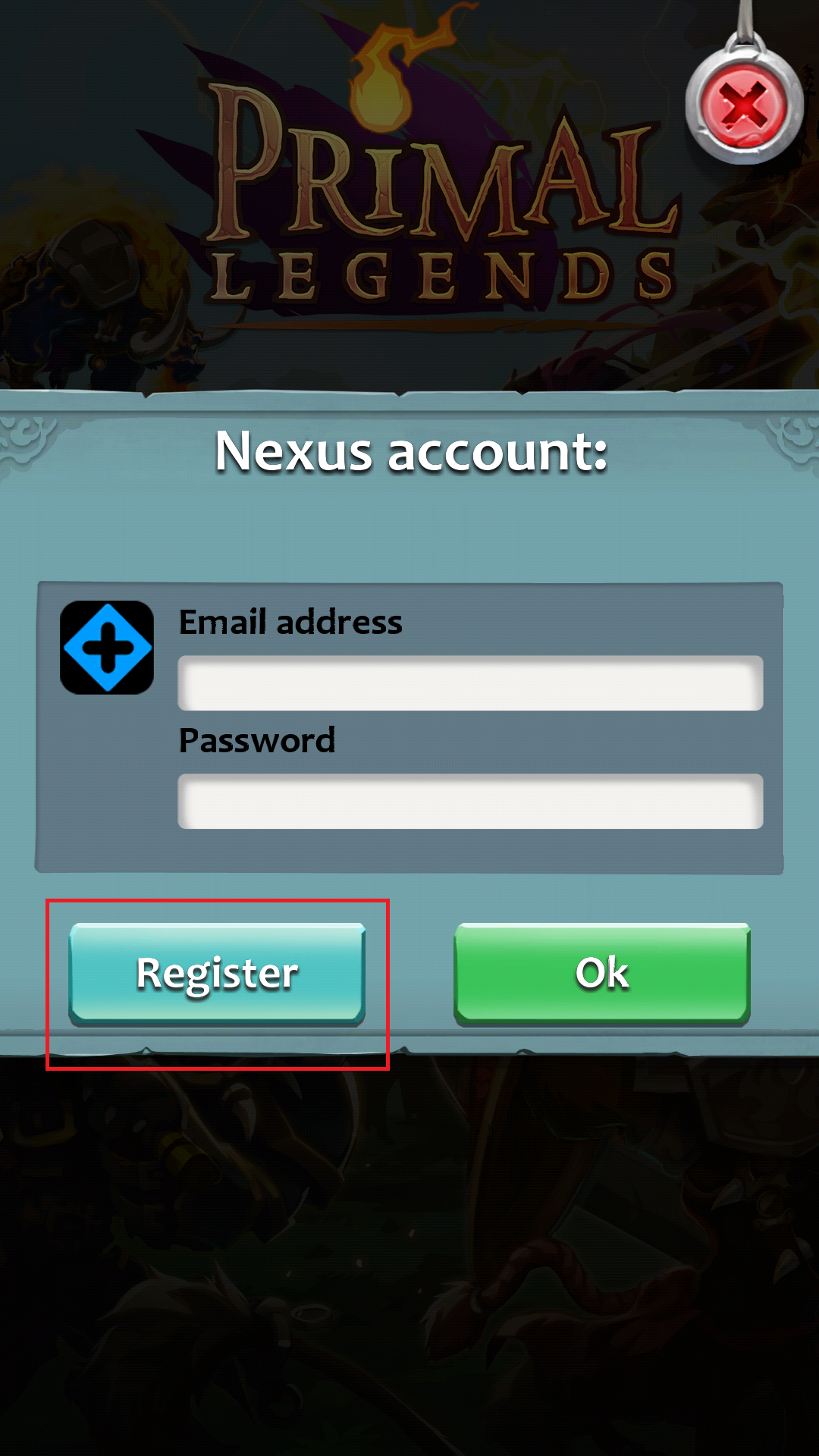
Step 4: Enter your information and click "Ok"
THAT'S IT!
YOU ARE DONE!
Comments